Customer Portal & Onboarding
Your clients see your brand, your colours and your domain, not ours. They pick what they are applying for, whether that is a home loan, a car loan, a personal loan or insurance, then walk through a step-by-step flow you control: personal details, property search, employment, ID verification, privacy consent, bank statements through open banking and a final review. Every answer is saved as they go, so they can stop and pick up later from any device. Once they finish, the same sign-in becomes their portal for documents, forms and signatures for the life of the deal.
Flows you build yourself
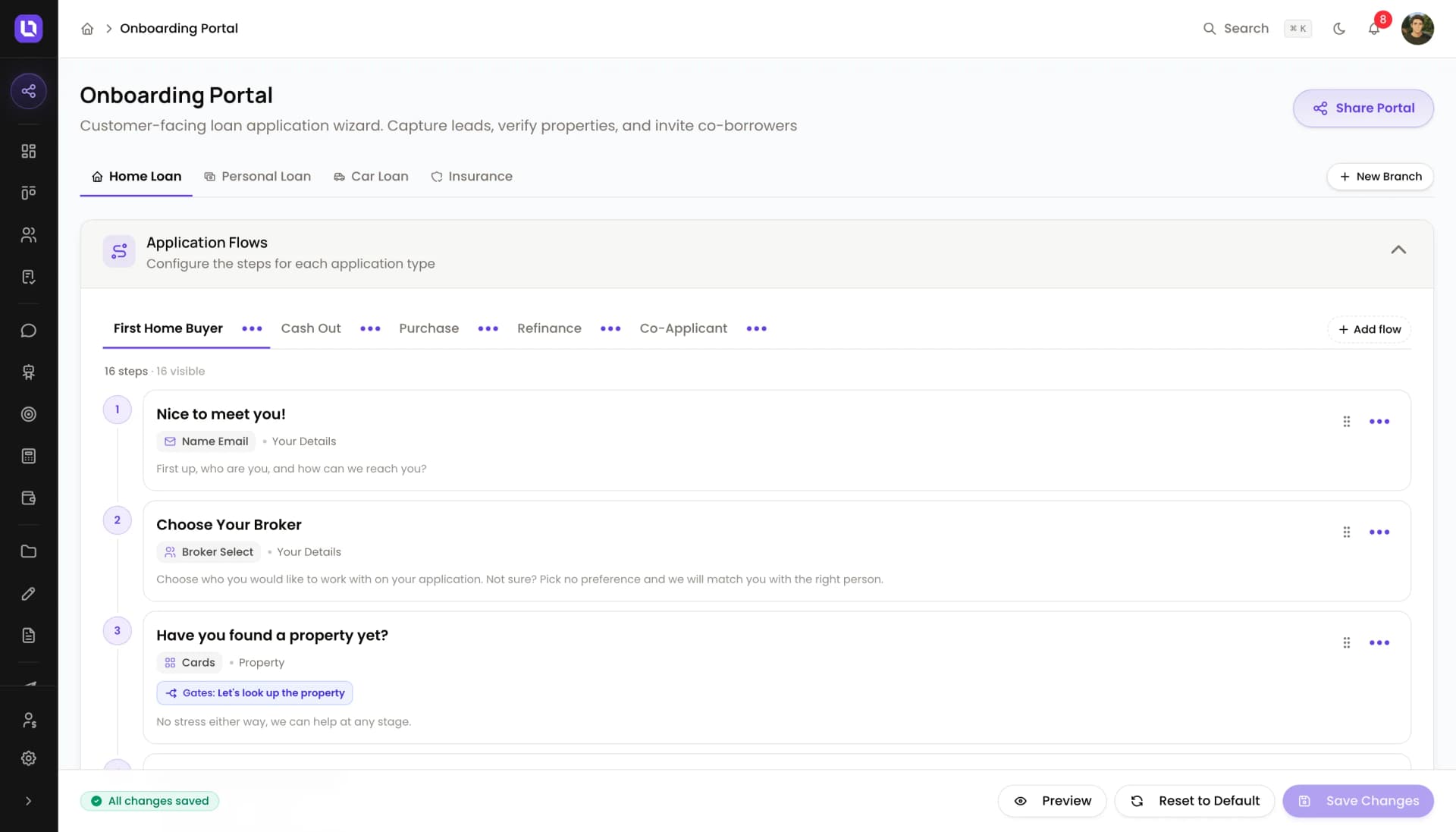
Drag steps into order, mark which are required, and show a step only when an earlier answer matches. Preview before you publish.22 step types
Choice cards, amounts, address and ABN lookup, document checklists, ID upload, payslips, bank connect, privacy consent, e-sign and more.Multiple paths per branch
First Home Buyer, Purchase, Refinance and Cash Out each get their own flow, and the client picks at the start.One-time code sign-in
Clients sign in with their email or mobile and a six-digit code. No passwords, no reset links.Co-applicants invited mid-flow
The client adds a co-applicant, who gets their own invite by email and SMS and completes their own details separately.AI reads the documents
IDs and payslips are read as they are uploaded, shown back for confirmation and written to the contact record.A deal from step one
A contact and deal exist the moment someone starts, routed to the pipeline stage and broker you choose per branch.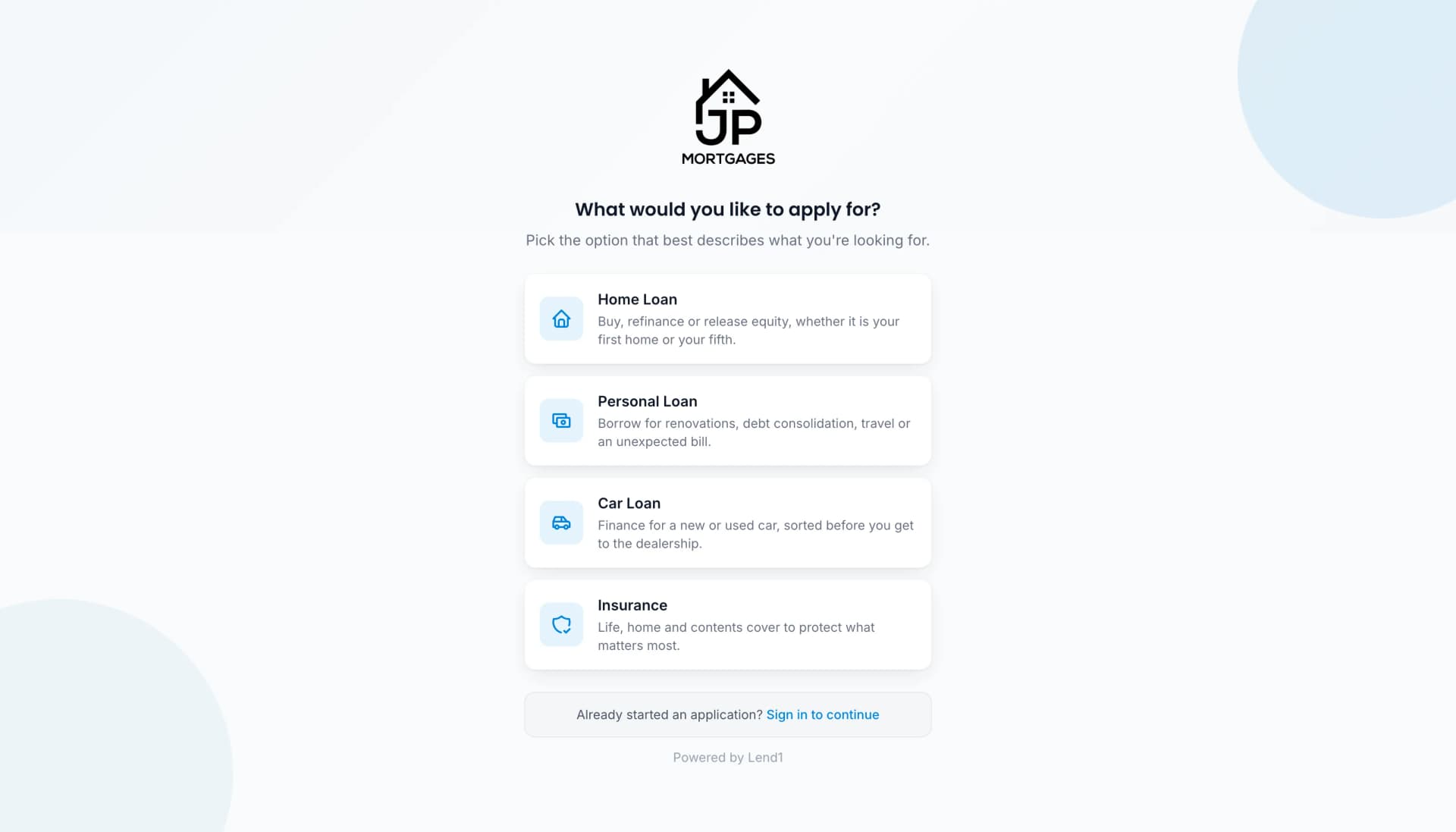
Flows you control, step by step
Every branch has its own flows, and every flow is a list of steps you can reorder, rename, switch off or make conditional. Start from a template, clone a flow you already have, or build from blank using ready-made bundles such as Employment plus income documents or Solo or joint application. Set the welcome screen copy, the thank-you message and the reminder schedule for people who leave halfway. A preview link lets you walk the real customer experience without creating a deal.
- Reorder steps by drag and drop, with dependencies protected
- Show a step conditionally based on an earlier answer
- Ready-made bundles add several related steps at once
- Pipeline stage and broker routing set per branch
- Invite clients by email or SMS with a link that lasts 14 days
- Reminders at 1, 3 and 7 days by default for unfinished applications
- A personal onboarding link for each broker, with branch access per person
A portal clients come back to
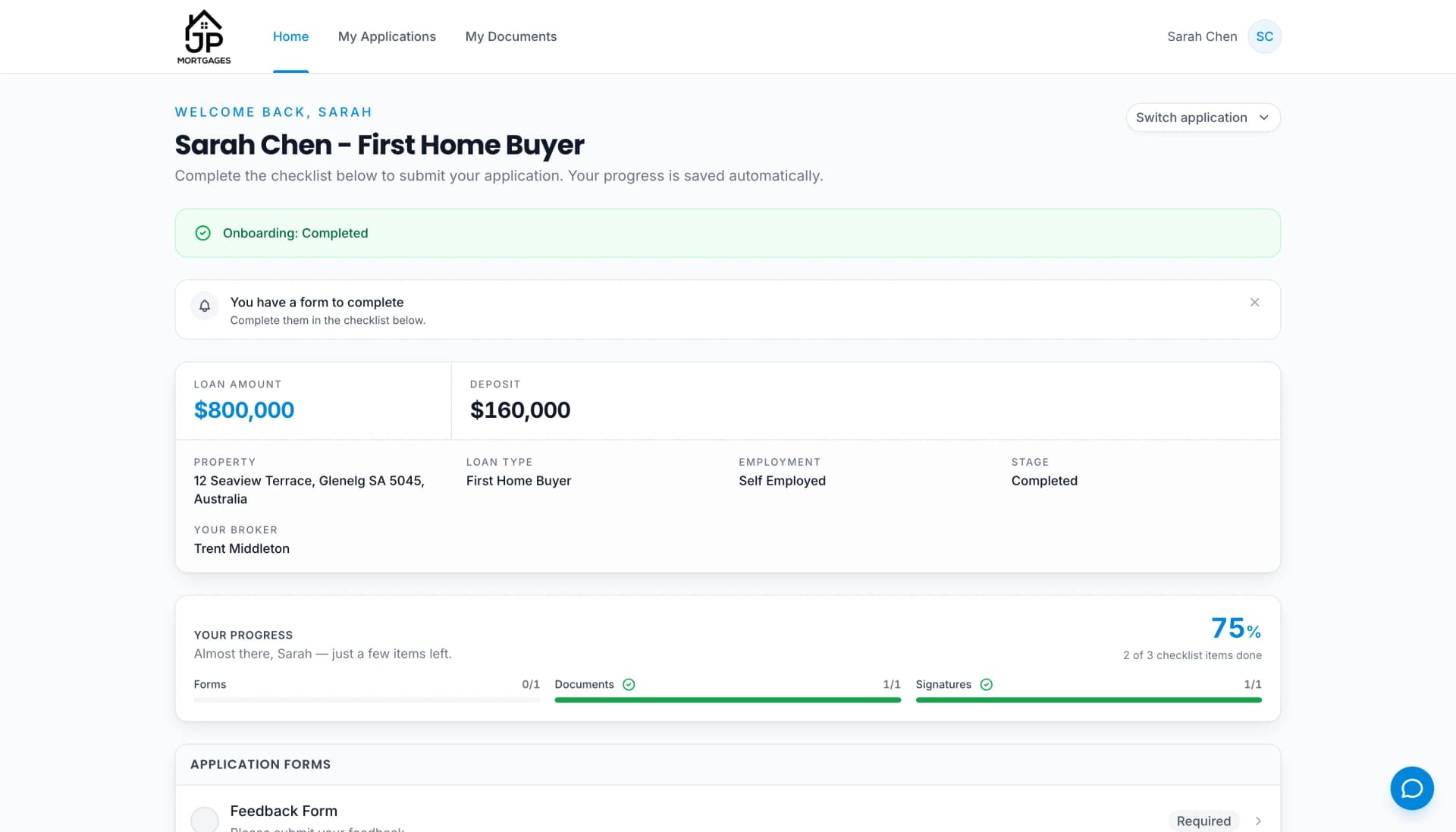
When onboarding is done, the client's sign-in becomes their portal. Home shows the application summary, their broker, a progress bar across forms, documents and signatures, and a checklist of what is still outstanding. My Applications lists every application with its own progress. When you need something more, a rates notice, another payslip, a trust deed, request it from the deal and it appears on the client's checklist with a notification. They upload it from the portal, you approve or reject it, and My Documents keeps every file with its status. Forms you assign and e-sign requests land the same way, and an AI chat widget answers questions or hands over to your team.
Sign in with a code
Email or mobile plus a six-digit code that expires in ten minutes. A magic link works too.Every application in one place
Multiple applications per client, each with its own progress and a resume button if onboarding is unfinished.Request more documents
Ask for an extra document from the deal. The client is notified, uploads it in the portal, and you approve or reject it.Forms and signatures
Assigned forms and e-sign documents appear as checklist items with a notification banner and a progress bar.AI chat with handoff
A chat widget on every portal page answers questions and hands over to your team when it needs to.Co-applicant view
Co-borrowers see their own progress without seeing the primary applicant's session.- Resume a half-finished application from any device with a verification code
- Bank statements connected through open banking from inside the portal
- Every document the client has ever uploaded stays in My Documents with approved, pending or rejected status
- Portal sessions expire after four hours for safety
Your brand, front and centre
Logo, dark-mode logo and favicon. Your primary, secondary and accent colours, a heading and body font from 23 Google fonts, corner radius and button style. Your own domain with automatic SSL, or a subdomain on Lend1. Every email the portal sends comes from your name and address and can be edited in the system email library. Switch off the Powered by Lend1 footer in the portal, and add custom CSS if you want to go further.
- Custom domain with DNS verification and automatic SSL
- Powered by Lend1 footer can be switched off in the client portal
- Privacy policy and credit guide versioned in the compliance library
- Privacy consent and accountant authority saved as signed e-sign records on the deal
- Application completed fires automations and syncs the deal to Connective
- AI-Powered IntelligenceAsk Lend1 AI from any screen. It knows the deal you have open, sends onboarding links, writes notes and tasks, chases documents and answers in plain English.
- Open BankingCollect verified bank statements straight from your client's bank through Fiskil, on Australia's Consumer Data Right rails. No PDFs, no screenshots, just secure transaction data and income verification built into onboarding.
- Document Management & eSignCollect, validate, sign and organise client documents in one place. AI reads and categorises uploads, and built-in eSign handles Credit Guides, Privacy Forms and more, with no third-party tools.
- FormsDrag-and-drop forms you can embed on your website, host on your own domain, or have the AI send by SMS or email. Every answer lands straight in your CRM.
 FiskilReal-time bank data and verified statements through true open banking on Australia's Consumer Data Right.
 CashDeckCollect verified bank statements and income data straight from your client's bank, an alternative collection path alongside Fiskil.
 TwilioSend automated SMS notifications and updates to clients throughout the loan process.
 ConnectiveSeamlessly sync with Connective for streamlined loan submissions and compliance.
 Lend1 AIBuilt-in AI that reads documents, scores leads and follows up clients, with data that never leaves Australia.
Get Started
Ready to streamline your brokerage?
Automate your back office, onboard clients through a branded portal, and let AI handle the document work. Spend your time on the conversations that win deals.
Easy Onboarding
Cancel Anytime
Setup in Minutes