Forms
Build any form your brokerage needs, from a quick contact-us or feedback form to a full loan application, without a developer. Drag fields into place, mark what is required, map each answer to a CRM field, and publish. Share it three ways: a hosted page on your own domain, a one-line embed on your website, or a link the Staff Copilot sends by email or SMS when you ask. Every submission matches or creates the contact, can open a deal at the stage you choose, and alerts your team.
Hosted on your domain
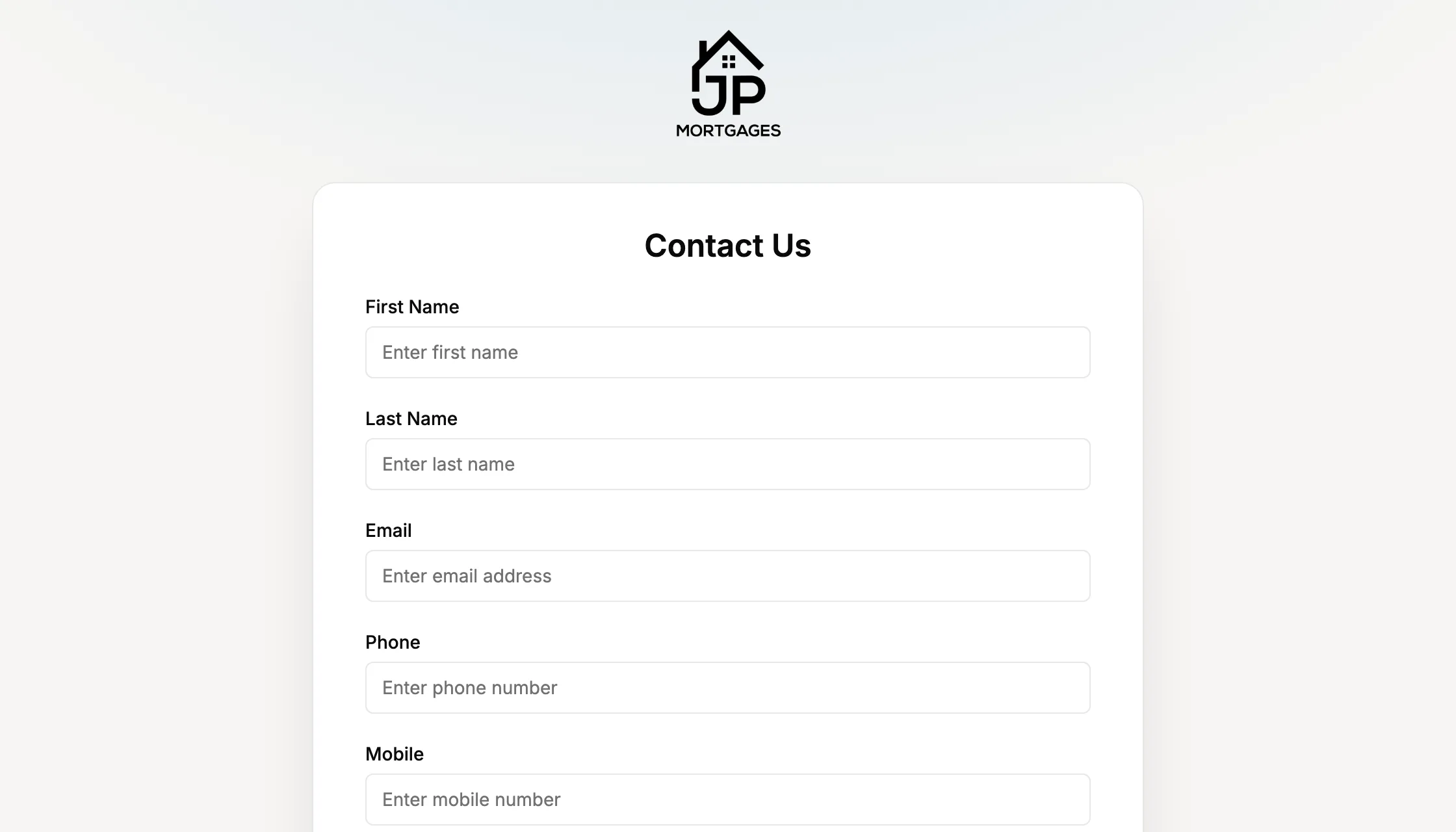
Every published form gets its own page on your Lend1 subdomain or custom domain, in your branding.One-line website embed
A single script tag drops the form onto any site in an auto-sizing frame, locked to the domains you allow.Send it from the AI Copilot
Ask the Copilot to send a form to a client and it goes by email or SMS once you confirm.Assign to a deal
Attach a form to a deal and the client completes it in the portal via a magic link, with drafts saved as they go.Straight into the CRM
Answers map to contact and deal fields. Submissions match existing contacts by email or phone, or create new ones.Auto-create deals
One submission can open a deal at the stage you choose, assign an owner and send an onboarding invite.Branded PDF export
Download any submission as a PDF with your logo and colours, from the form, the deal or the contact.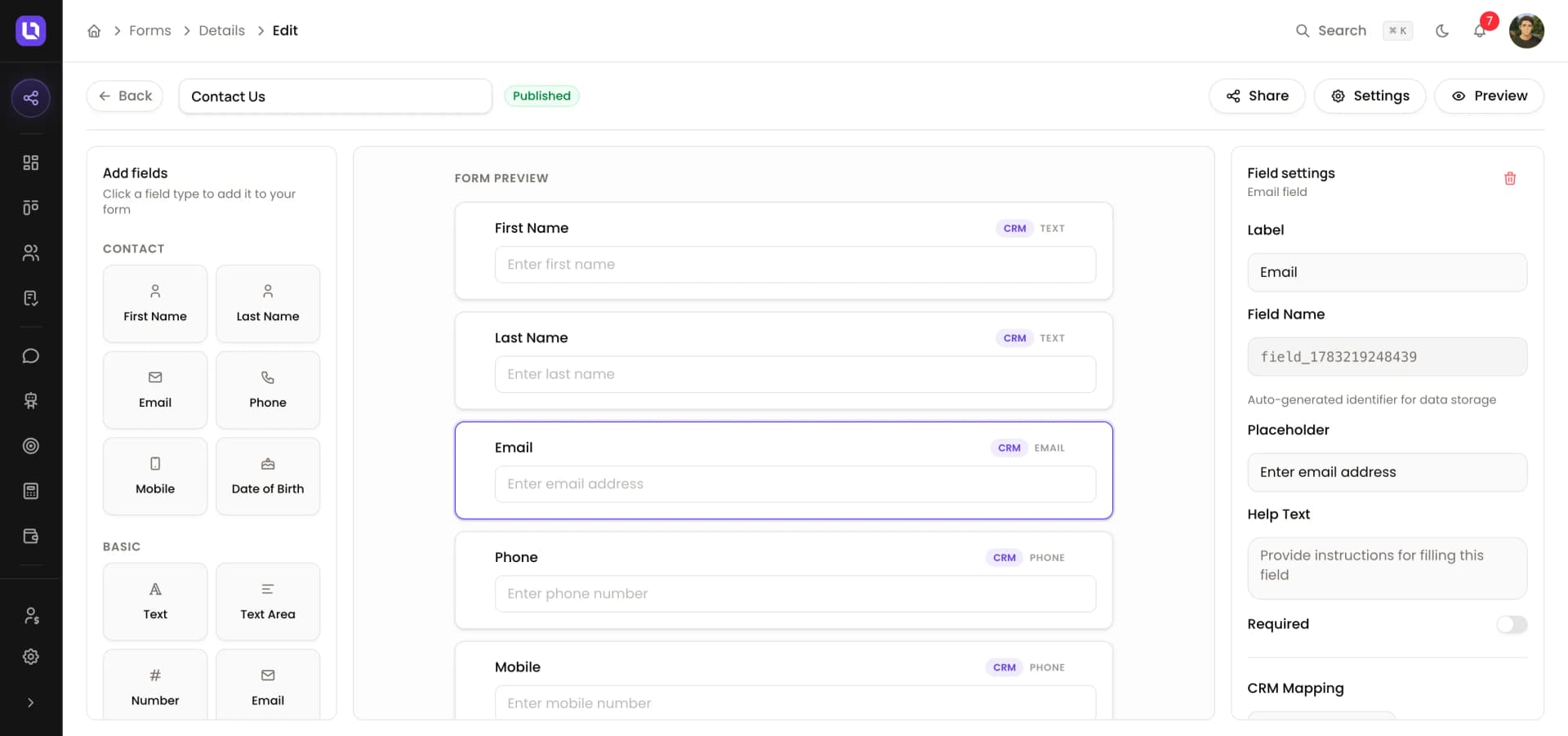
From submission to action
A visitor fills in the feedback form on your website. Lend1 recognises them by email, links the submission to their contact record, fills in any blanks and notifies their broker in-app and by email. Your team reviews it in the Submissions tab, where New, Partial, Complete and Processed filters keep triage simple. If a form asks questions you have not mapped to a CRM field, AI reads the answers and suggests contact updates with a confidence score for you to approve.
- In-app and email alerts for every submission
- Submissions tab with New, Partial, Complete and Processed filters
- AI extraction of unmapped answers, with confidence scores you review
- Form submitted as an automation trigger, plus Zapier and webhook events
- Completion rate and last-submission stats on every form
- Clients can request to edit a completed form, and you approve or deny
Your forms, your brand
Choose a light, dark or auto theme, your primary colour, square, rounded or pill corners, and whether the Powered by Lend1 footer shows. Set the button text and the thank-you message, or redirect to a page of your own. Forms move from draft to published, renamed links keep working through redirects, and you can duplicate any form or start from a template such as Loan Application, Property Enquiry or Insurance Quote Request. Forms are included on every plan.
- Included on every Lend1 plan, with no cap on forms or submissions
- Origin allowlist and rate limiting on every public form
- Existing contact details are never overwritten by an anonymous submission
- Templates for loan applications, property enquiries and insurance quotes
- Draft, preview and publish controls with archived field history
- Customer Portal & OnboardingWhite-label onboarding on your domain: multiple finance types, flows you build step by step, code sign-in, and a client portal for documents and signatures.
- Workflow AutomationBuild automations that handle the admin between deal stages. Trigger document requests, follow-ups and reminders the moment a deal moves, without chasing every step yourself.
- Communication HubReach clients however suits them, by email, SMS or an AI chatbot on your website. Every conversation is logged against the deal, so your team always has the full picture.
 Your WebsiteEmbed Lend1's customer portal, chat messaging, loan calculators and savings planners on your site to capture new leads.
 TwilioSend automated SMS notifications and updates to clients throughout the loan process.
 ZapierConnect Lend1 with thousands of apps to automate your broking workflows.
 Lend1 AIBuilt-in AI that reads documents, scores leads and follows up clients, with data that never leaves Australia.
Get Started
Ready to streamline your brokerage?
Automate your back office, onboard clients through a branded portal, and let AI handle the document work. Spend your time on the conversations that win deals.
Easy Onboarding
Cancel Anytime
Setup in Minutes