Updated
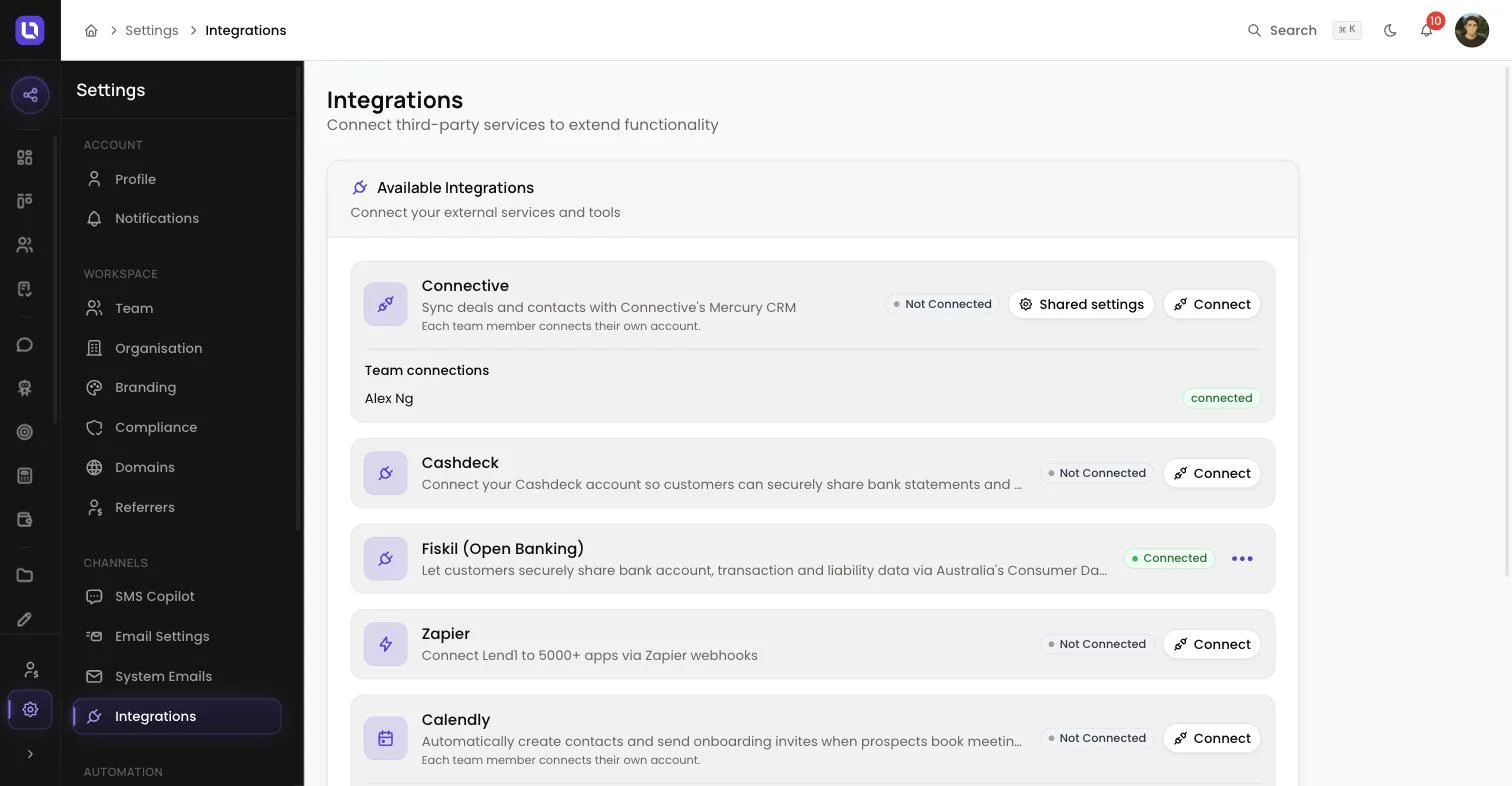
Go to Settings > Integrations and find Fiskil (Open Banking) in the list.
Fiskil brings open banking into your onboarding portal. Instead of asking a client to find and upload bank statements, they consent to share their bank accounts, transactions and liabilities directly with Lend1 under Australia's Consumer Data Right (CDR). Consent happens inside your client's own banking login, not inside Lend1, so their banking password is never shared with you or with Lend1.
Before you start
- Fiskil needs no API keys or credentials from you. Lend1 holds the platform-level connection to Fiskil, so turning it on for your workspace takes two clicks, not a lengthy setup.
- Connecting it is a workspace-wide setting. It's available to the Admin role, or a custom role granted Integrations management access. If you don't see a Connect button on the Fiskil card, ask an admin to connect it, or to grant you that access under Settings > Roles & Permissions. See Creating custom roles and permissions.
- Your onboarding portal's default flow already includes a bank connection step, so there's nothing to add there. Once Fiskil is connected, that step offers your clients open banking automatically.
Turn on Fiskil
Step 1: Open the integration
- Go to Settings > Integrations.
- Find Fiskil (Open Banking) in the list of available integrations.
Step 2: Enable it
- Select Connect on the Fiskil row. A dialog titled Connect Fiskil (Open Banking) opens; there's nothing to fill in.
- Select Connect in the dialog. Lend1 checks the platform connection to Fiskil and switches the card's status to Connected.
Please note: the dialog's description says "Enter your credentials to connect this integration", but Fiskil doesn't need any. Just select Connect and it goes through.
Congratulations! Fiskil is connected. Your onboarding portal will now offer clients open banking at the bank step.
What your client sees
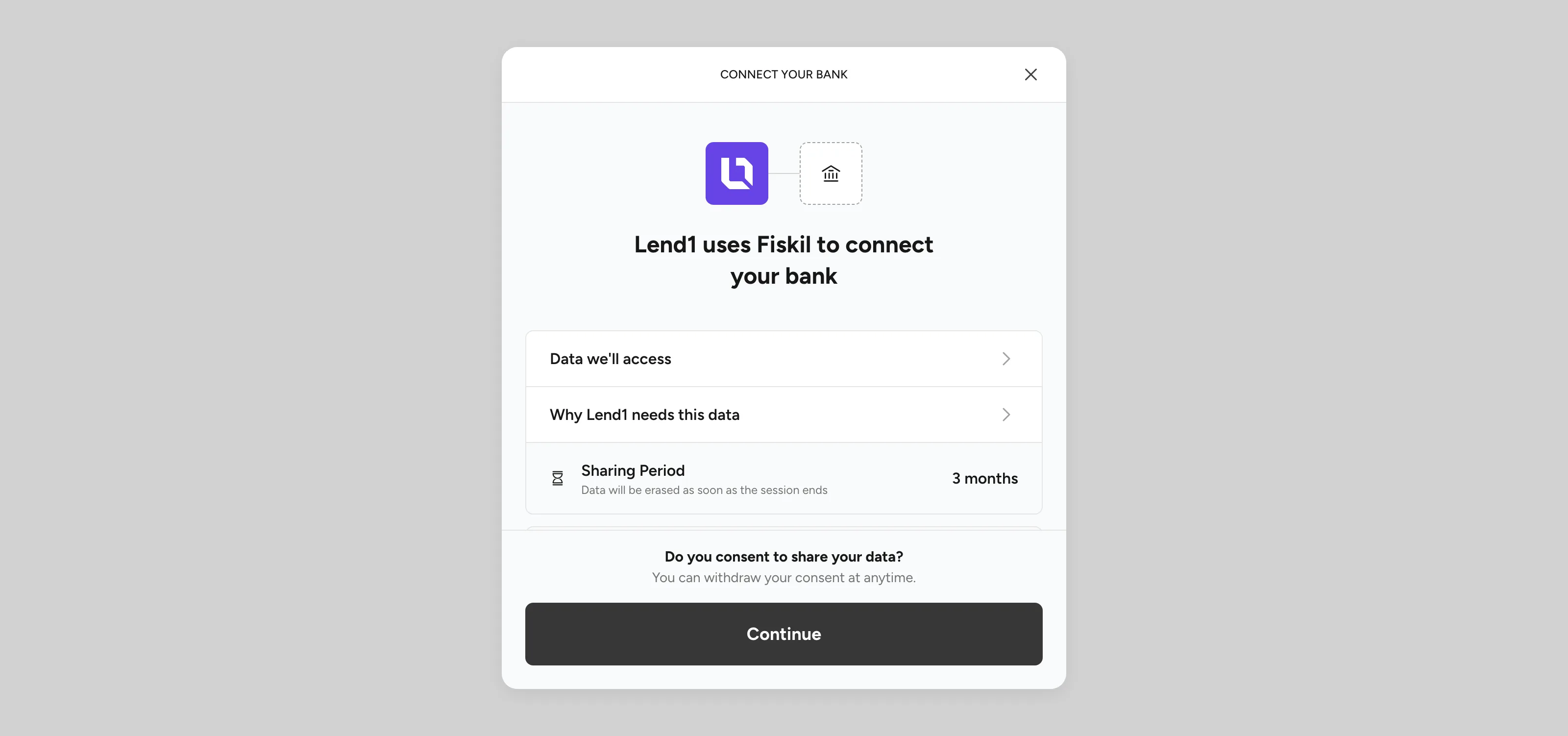
On the bank step of their application, your client picks their bank, then Fiskil's hosted consent flow opens, where they authenticate directly with their own bank, not with Lend1, and choose which accounts to share.
Once they authorise, Lend1 detects it automatically and shows Successfully linked along with their bank's name; there's nothing further for you or your client to do. If they aren't ready to connect a bank yet, Skip for now and finish later stays available right up until they do, so it never holds up the rest of their application.
What you receive on the deal
| Item | Where to find it |
|---|---|
| Account balances, transactions and liabilities | Not shown as raw data anywhere in Lend1; this is the verified data behind the statement, the insights report and the income figures below. |
| Per-account bank statement (PDF) | The deal's Documents tab, filed under Bank Statement. |
| Insights report (PDF) and transaction workbook (spreadsheet) | The deal's Documents tab, filed under Banking Insights. |
| Verified income | Included in the income section of each account's statement, drawn from Fiskil's own income analysis. |
Please note: these documents generate automatically once your client's bank connection completes and at least one transaction has come through. There's nothing to trigger manually.
How long the data is kept
The sharing period is set in the consent your client gives, and they can withdraw it at any time with their bank. That's a Consumer Data Right requirement, not a Lend1 setting, and they can withdraw consent at any time directly with their bank.
When consent ends, whether it expires, is revoked, or Lend1's daily check catches one it missed, Lend1 automatically deletes the underlying account, transaction and liability data. This is a CDR data minimisation requirement: Lend1 can only hold that data for as long as the consent authorising it is active.
Please note: the statement, insights report and transaction workbook already generated to the deal stay there as ordinary documents. They aren't removed when the underlying consent ends.
Open banking or bank statements?
Fiskil is Lend1's open banking connection: verified, live bank data shared under the Consumer Data Right, authorised directly in your client's own banking login. It's the option to reach for when you want current, complete data with the least back and forth.
CashDeck is Lend1's other bank connection option: it collects bank statements and income verification for clients whose situation calls for a statement-based path instead. Only one bank connection powers the bank step your clients see at a time. If both Fiskil and CashDeck are connected, the one you connected most recently is used, so disconnect the other to avoid confusion.